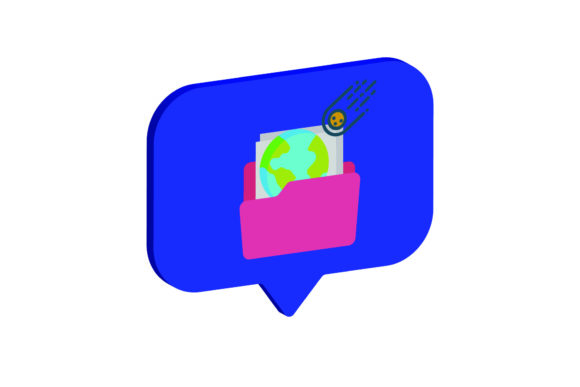
3D Icon Space Meteor and Planet
In the modern digital landscape, visual assets are no longer just decorative; they are functional components of a broader communication strategy. Whether you are designing a user interface for a mobile application, creating marketing materials for a new product launch, or developing educational content for an online course, the efficiency with which you can manipulate and deploy these assets directly impacts your workflow velocity. The 3D Icon Space Meteor and Planet asset pack represents a specific solution to the common bottleneck of finding high-quality, versatile graphical elements that fit seamlessly into complex design systems.
This collection is not merely a static image library. It is a structured set of digital files designed to integrate into various stages of the creative and business process. By providing multiple file formats and standardized dimensions, it allows professionals—from freelance graphic designers to small business owners—to maintain consistency across platforms while reducing the time spent on manual adjustments. Understanding how to leverage this specific asset requires looking beyond its aesthetic appeal and examining its technical utility in real-world workflows.
The Architecture of the Asset Pack
At the core of the 3D Icon Space Meteor and Planet package is a commitment to flexibility through format diversity. You receive a total of six distinct digital files, each serving a specific purpose within the design pipeline. The canvas size is standardized at 1920px by 1280px, a resolution that offers sufficient detail for high-resolution displays while remaining manageable for most standard editing software. This dimension is particularly useful for web headers, social media banners, and presentation slides, ensuring that the visual impact is maintained without unnecessary bloat.
- AI File (Adobe Illustrator): This vector-based source file is the foundation for scalable design. It allows for precise editing of paths, colors, and shapes. If you need to adapt the meteor’s trajectory or adjust the planet’s shading to match a brand palette, the AI file provides the necessary control layer.
- EPS File: An older but widely supported vector format, EPS ensures compatibility with a vast array of design applications, including CorelDRAW and Inkscape. It is ideal for projects where team members may be using different software ecosystems.
- SVG File: As the standard for web development, the SVG file enables crisp rendering at any scale directly in browsers. For developers and front-end designers, this file integrates easily into HTML/CSS structures, allowing for interactive hover effects or responsive scaling without loss of quality.
- DXF File: Often overlooked in purely digital contexts, the DXF format bridges the gap between digital design and physical production. If your workflow involves laser cutting, CNC routing, or vinyl printing for merchandise like t-shirts or stickers, this file provides the vector data required by manufacturing machines.
- JPG File: A rasterized, compressed image suitable for quick previews, email attachments, or integration into document templates where vector editing is not required. Its universal compatibility makes it a safe fallback for non-designers.
- PNG File: Featuring transparency support, the PNG file is essential for overlaying the space imagery onto existing backgrounds. This eliminates the need for manual background removal, saving significant time during the assembly phase of a project.
Integration into Design Workflows
The value of the 3D Icon Space Meteor and Planet becomes apparent when viewed as part of a sequential workflow. Consider a scenario where a marketing team is preparing a campaign for a tech startup focused on aerospace or education. The process begins with conceptualization, moves to drafting, then to refinement, and finally to distribution. Each stage interacts differently with the asset.
During the conceptualization and drafting phase, the AI or EPS files allow designers to experiment with composition. They might place the planet as a central anchor and use the meteor trail to guide the viewer’s eye toward a call-to-action button. Because these are vector files, the designer can resize the elements infinitely to test layout variations without pixelation artifacts. This iterative process is crucial for maintaining visual hierarchy and ensuring that the message is clear before moving to final execution.
In the refinement and adaptation stage, the SVG and PNG files take center stage. For a website redesign, the SVG version ensures that the icons look sharp on retina displays and mobile devices. The transparency of the PNG allows the space imagery to blend seamlessly with varying background colors, adapting to dark mode or light mode interfaces automatically. This reduces the need for multiple versions of the same asset, streamlining the handoff between designers and developers.
For physical production, the DXF file opens up additional revenue streams or promotional opportunities. A small business owner might use the vector data to create custom packaging or branded merchandise. The precision of the DXF file ensures that the cut lines align perfectly with the visual elements, maintaining brand integrity from the screen to the physical product. This cross-media consistency strengthens brand recognition and demonstrates attention to detail.
Practical Implementation Tips
To maximize the utility of the 3D Icon Space Meteor and Planet assets, it is important to establish a systematic approach to file management and usage. Efficiency in creative work often comes down to organization. Create a dedicated folder structure within your project directories that separates vector sources from raster exports. This prevents accidental overwriting of the original AI or EPS files and ensures that the highest quality versions are always available for future edits.
When working with the 3D Icon Space Meteor and Planet in Adobe Illustrator or similar software, utilize layers effectively. Separate the planet, the meteor, and any associated glow effects into distinct layers. This modularity allows you to toggle visibility, apply global effects, or isolate specific components for animation. For instance, if you are creating a motion graphic for a video presentation, animating the meteor’s movement independently of the static planet creates a dynamic visual that captures attention more effectively than a static image.
Consider the context of your audience when selecting formats. If you are sending designs to clients who do not have professional design software, provide them with high-resolution JPGs or PDFs rather than editable AI files. This protects your intellectual property while still delivering a polished final product. Conversely, if you are collaborating with other designers, share the source files to facilitate seamless teamwork and consistent updates.
Quality Control and Long-Term Use
Consistency is key to building a professional brand identity. The 3D Icon Space Meteor and Planet pack supports long-term use by providing a cohesive visual language. The 3D style offers depth and realism, which can elevate simple layouts and make them appear more premium. However, it is important to ensure that the lighting and texture of these assets align with other elements in your design system. Mismatched styles can create visual dissonance, distracting the viewer from the core message.
Regularly audit your asset libraries to remove outdated files and organize active ones. As your projects evolve, you may find that certain formats are used more frequently than others. For example, web-focused teams might rely heavily on SVGs, while print-focused teams might prioritize AI and DXF files. By understanding the specific needs of your workflow, you can tailor your use of the 3D Icon Space Meteor and Planet assets to optimize efficiency and output quality.
Ultimately, the goal of integrating such assets is to reduce friction in the creative process. By having pre-made, high-quality, and versatile files readily available, you can focus more on strategy and less on technical execution. The 3D Icon Space Meteor and Planet serves as a robust tool in this regard, offering the flexibility needed to adapt to diverse project requirements while maintaining a high standard of visual excellence. Whether you are enhancing a digital presence, producing physical goods, or creating educational content, these assets provide a solid foundation for effective communication.