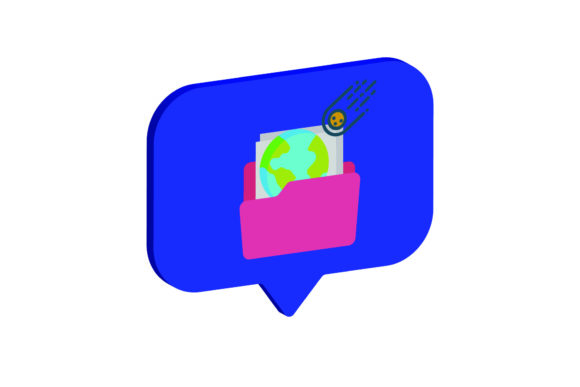
3D Icon Space Book: A Practical Guide to Integrating High-Quality Digital Assets into Your Workflow
In the modern digital landscape, visual consistency is not merely an aesthetic preference; it is a functional requirement for effective communication. Whether you are designing a brand identity, creating educational materials, or developing a user interface, the quality and versatility of your graphical assets dictate the efficiency of your workflow. The 3D Icon Space Book represents a strategic solution for professionals who require high-fidelity, scalable, and easily editable iconography without the overhead of commissioning custom illustrations for every project.
This resource is designed to streamline the creative process by providing a comprehensive library of 3D-style icons in a format that adapts to various stages of production. By understanding how this asset pack integrates into broader design and marketing workflows, creators can significantly reduce turnaround times while maintaining a polished, professional output. The following analysis explores the practical applications, technical specifications, and implementation strategies for utilizing the 6-file digital package effectively.
Understanding the Asset Structure and Technical Specifications
Before integrating any new tool into a workflow, it is essential to understand its technical parameters. The 3D Icon Space Book is not just a collection of images; it is a structured set of vector and raster files optimized for different stages of design execution. The core canvas size is set at 1920px x 1280px, a resolution that offers ample space for detailed rendering while remaining manageable for standard desktop editing software.
The package includes six distinct file formats, each serving a specific purpose in the design pipeline:
- AI File (Adobe Illustrator): This is the primary working file for designers. It contains editable vector paths, allowing for precise adjustments to shape, color, and composition. If you need to modify an icon to fit a specific brand palette or integrate it into a larger illustration, the AI file is your starting point.
- EPS File (Encapsulated PostScript): Essential for compatibility with legacy systems or print production workflows. EPS files preserve vector data, ensuring that graphics remain crisp when scaled for large-format printing, such as banners or brochures.
- SVG File (Scalable Vector Graphics): The gold standard for web design. SVGs are lightweight, infinitely scalable, and code-friendly. They allow developers to implement icons directly into HTML/CSS structures, enabling interactive effects like hover states and dynamic coloring without loading additional image resources.
- DXF File (Drawing Exchange Format): A critical inclusion for those involved in physical fabrication. DXF files are compatible with laser cutters, CNC routers, and vinyl cutters. This bridges the gap between digital design and physical product creation, allowing you to take a 3D-looking icon and translate it into a tangible object.
- JPG File (JPEG): A universally compatible raster format ideal for quick previews, email attachments, or platforms that do not support transparency. While not editable in terms of vectors, JPGs are useful for rapid deployment where file size is a priority over infinite scalability.
- PNG File (Portable Network Graphics): The preferred format for digital overlays due to its support for transparent backgrounds. PNGs allow icons to be placed over complex gradients, photographs, or patterned backgrounds without unsightly white boxes, ensuring seamless integration into UI/UX designs.
Strategic Integration Across Creative Workflows
The value of the 3D Icon Space Book lies in its flexibility across different phases of a project. For freelancers and small business owners, time is the most scarce resource. By having pre-made, high-quality 3D assets, you eliminate the need to build basic shapes from scratch, allowing you to focus on strategy and client communication rather than pixel-pushing.
Pre-Production and Planning
During the initial planning phase, particularly for marketers and educators, visualizing concepts is crucial. The 3D nature of these icons provides depth and realism that flat 2D graphics often lack, making them effective for mood boards and presentation decks. When pitching a campaign or explaining a complex process to stakeholders, using rich, dimensional visuals helps convey professionalism and attention to detail. The ability to quickly swap out icons in the AI file allows for rapid prototyping of visual narratives before final approval is granted.
Active Design and Development
For graphic designers and web developers, the multi-format nature of this pack reduces friction. A typical workflow might involve selecting a concept from the book, opening the AI file to adjust colors to match a client’s hex codes, exporting the modified version as an SVG for the website, and simultaneously generating a PNG for use in social media graphics. This parallel processing capability ensures that all deliverables are consistent in style but optimized for their respective mediums.
Furthermore, the inclusion of the DXF file opens up opportunities for hybrid projects. A branding agency might design a logo using these 3D aesthetics and then use the DXF file to create branded merchandise, such as wooden signs or acrylic desk accessories. This cross-disciplinary utility maximizes the return on investment for a single digital purchase.
Best Practices for Organization and Efficiency
To fully leverage the 3D Icon Space Book, proper file management is key. Disorganized assets lead to wasted time searching for the correct version of a file. Implement a standardized folder structure within your project directories. For example, create a main folder named "3D Icon Library," with subfolders labeled "Vectors," "Raster," and "Cut Files." Within these, further categorize by theme or category if the book contains diverse icon sets.
When editing the AI or EPS files, always work non-destructively. Use layers to separate individual elements. This practice allows you to isolate specific parts of an icon for recoloring or modification without affecting the rest of the design. If you plan to reuse these assets across multiple clients or projects, consider saving variations as new versions rather than overwriting the original source files. This preserves the integrity of the base design and provides a fallback option if edits go awry.
Quality control is another critical factor. Before finalizing any export, zoom in to 400% to check for jagged edges or unintended artifacts, especially when converting from vector to raster formats. Ensure that transparency is preserved in PNG exports and that no background layer is accidentally included. For web implementations, run SVG files through a minifier to strip unnecessary metadata, reducing load times and improving site performance.
Long-Term Value and Adaptability
Digital trends shift rapidly, but foundational design principles remain stable. The 3D aesthetic has seen a resurgence in recent years, moving away from flat design toward more immersive, tactile visuals. Investing in a versatile asset pack like the 3D Icon Space Book future-proofs your toolkit against these shifts. Because the files are vector-based, they can be adapted to emerging platforms and resolutions without loss of quality.
For educators and content creators, these icons serve as powerful visual anchors. In online courses or blog posts, breaking up text with clear, dimensional icons improves readability and retention. The ease of editing means you can customize the icons to reflect specific lesson topics or product features, creating a cohesive learning environment. Similarly, entrepreneurs can use these assets to maintain brand consistency across e-commerce listings, packaging, and advertising materials.
Ultimately, the 3D Icon Space Book is more than a collection of graphics; it is a productivity multiplier. By providing easy-to-edit, multi-format files, it removes technical barriers between idea and execution. Whether you are streamlining a corporate design process, enhancing a personal portfolio, or preparing physical products for market, integrating these assets into your routine supports a smoother, more efficient workflow. The result is not just faster delivery, but higher quality outcomes that resonate with audiences across both digital and physical touchpoints.